
|
Getting your Trinity Audio player ready...
|
20+ Best Free Offline Music Apps for Android/iOS in 2026
If you love music, you probably know how frustrating it can be when your favorite song suddenly stops because your internet connection is gone. Maybe you are traveling, commuting, working out, relaxing at home, or simply trying to save your mobile data. Sometimes, you just want to press play and enjoy your music without worrying about Wi-Fi, network coverage, or how much data you have left.
The good news is that there are now more music apps than ever, but finding the best free music app that actually works offline is not always as easy as it sounds. Many apps will let you stream songs for free, but when you want to download those songs and listen without internet or data, you may discover that the feature is locked behind a subscription. Others are completely free but are designed to play music files that you already have on your phone.
That is exactly why I put this list together.
As a musicologist and someone who understands how differently people experience music, I know that choosing a music app is not simply about finding an app with millions of songs. It is about finding an app that fits the way you actually listen. You may want unlimited listening, offline playback, access to new artists, Afrobeats, hip-hop, gospel, pop, classical music, international songs, or simply a reliable player for the music already stored on your device.
In this guide, I have brought together 20 of the best free music apps for offline listening without internet or data, so you do not have to waste your time downloading one app after another just to find out that it does not do what you need. Some of these apps allow you to save supported songs for offline listening, while others are excellent offline music players for songs already stored on your device.
So, whether you are looking for a free music app, an offline music app, or a way to listen to music without using your mobile data, you are in the right place. Go through the list, compare what each app offers, and by the end of this guide, you should have a much clearer idea of which music app is the right one for you.
Let’s get started.
Finding Your Perfect Offline Music Streaming App: What to Look For in 2026
You know that moment when your favorite song is playing, the beat is perfect, and you are completely enjoying yourself, then suddenly… silence. The internet is gone. Your data is finished. Or an ad pops up right when the best part of the song is about to hit. Seriously, nothing kills the vibe faster.
That is why having a good free music app for offline listening can make such a big difference. You should not have to depend on Wi-Fi or keep checking your data balance every time you want to listen to your favorite songs. Whether you are on a long trip, stuck somewhere with poor network coverage, working out, studying, or simply relaxing, offline music gives you the freedom to press play whenever you want.
But here is the problem: there are so many music apps out there, and they do not all work the same way. Some let you stream music for free but require a subscription before you can listen offline. Others allow you to save certain songs, while some work as completely free music players for tracks you already have on your phone. So, which ones are actually worth downloading?
That is what we are here to find out.
I have put together 20 of the best free music apps for offline listening without internet or data, covering options for both Android and iPhone users. Whether you want to discover new artists, enjoy your favorite songs, build playlists, or simply listen to music without constantly worrying about your internet connection, there is something on this list for you.
Because music is not just something we play in the background. It can change your mood, keep you motivated, help you focus, bring back memories, or give you a little escape when you need one. And honestly, your music should not have to stop just because your network decided to disappear.
So, if you have been searching for the best free music apps, offline music apps, or music apps that let you listen without using your mobile data, you are in the right place. Let’s look at the 20 apps that can help you keep the music playing, even when the internet is not.
How to Choose the Free Offline Music App That Is Actually Right for You
After years of sitting with headphones on, chasing down obscure pressings and arguing with myself over which recording of a piece gets it right, I have come to believe that the app you choose matters almost as much as the music itself. It shapes how often you listen, how deeply you listen, and whether your library ever grows into something that feels like yours. A few things to sit with before you commit to one.
1. Let the App Match Your Ear, Not Just Your Playlist
Every app has a personality, whether its makers intended one or not. Some are built with mainstream hits in mind, others lean toward indie corners or music from beyond the usual charts. Before you settle on one, ask whether it actually holds the artists and styles you return to, and whether it leaves you a little room to wander into something you have not heard yet. A library that only mirrors your taste back at you gets tired fast.
2. Trust the Offline Mode Before You Rely on It
Not every app that claims offline listening delivers it gracefully. Look closely at whether you can download individual tracks or entire playlists at once, and pay attention to any storage limits hiding in the fine print. One quiet habit worth knowing: a fair number of apps will only let you download while connected to Wi-Fi, so plan your downloads before you actually need them, not in the moment you lose signal.
3. Give Weight to How the App Feels in Your Hands
A beautiful library does you no good if finding a song inside it feels like work. Pay attention to how easily you can search, sort, and queue up what you want to hear, because the fewer taps between you and the music, the more often you will actually reach for the app. Good design disappears. You should notice the music, not the interface.
4. Do Not Compromise on How the Music Actually Sounds
Sound quality depends on both your equipment and the app doing the playing, and this is one place I would not cut corners. Some apps still manage lossless or high-resolution playback even offline, and if a crisp, honest sound matters to you the way it does to me, it is worth seeking those out rather than settling for whatever compresses smallest.
5. Understand What “Free” Actually Costs You
Ads are the most common price of a free app, and it is worth being honest with yourself about how much they wear on you over time. Ask whether the occasional interruption is a fair trade for not paying, or whether your own peace of mind is worth the small subscription instead. There is no wrong answer here, only the one that is honest about how you actually listen.
6. Make Sure It Lives Comfortably on Your Devices
An app that works beautifully on one device and clumsily on another will quietly push you away from it. Confirm it runs well on whichever phone you actually carry, Android or iOS, and treat support for a tablet, a smartwatch, or your car’s audio system as a welcome bonus rather than a requirement.
7. Look for a Library You Can Actually Tend To
Downloading is only half the job. A good app should let you sort, delete, rename, and update what you have saved offline without needing to reconnect first. Music you cannot tidy up tends to become music you stop opening.
8. Notice the Small Touches That Make an App Feel Thoughtful
Some listeners want to send a playlist straight to Instagram Stories. Others want to say a song’s name out loud to Alexa or Google Assistant and have it simply start playing. Neither is essential, but if either one matters to how you actually live with music, let it guide your choice.
9. Let Community and Curation Point You Toward Something New
An app with an active community around it usually comes with curated playlists, honest ratings, and small nudges toward music you would not have found on your own. If part of the joy of listening, for you, is discovering something through a friend’s taste or a trending list, this is worth weighing seriously.
10. Ask How the App Is Cared For, Not Just What It Offers Today
A steady rhythm of updates tends to mean better features, tighter security, and fewer frustrating outages down the line. And when something does go wrong, and eventually something always does, responsive support makes the difference between a small hiccup and a genuinely bad afternoon.
In the end, the best free music app is simply the one that fits your ears, your habits, and the moments you actually listen in. Sit with what you value, try a few of the names on this list, and let yourself settle into the one that makes every track feel a little more alive.
How to Overcome the Limits of Offline Music Listening on Streaming Services
Popular music streaming apps like Spotify, Apple Music, and YouTube Music have made access to nearly every song ever recorded feel normal. Offline listening on those same apps, though, is where the experience starts to show its cracks.
Storage is the first wall most people hit. Downloading music for offline listening eats into your phone’s memory fast, especially if you care about sound quality. A single album in FLAC can weigh in at several hundred megabytes, and a real, well-loved library can quietly swallow ten or twenty gigabytes before you notice. On a phone that is also holding your photos, apps, and everything else you actually use your storage for, that adds up into a real trade-off.
Managing what you have downloaded is its own headache. Most mainstream apps do not let you organize, rearrange, or move your downloaded files the way you would with music you actually own. The songs stay locked inside the app’s own player, tied to its own interface, with no simple way to pull them out, back them up, or use them somewhere else. You are borrowing your music, not keeping it.
Then there is the paywall itself. On the vast majority of streaming apps, offline listening is not part of the free tier at all. It is a premium feature, full stop. If you are not paying a monthly subscription, you are not downloading anything, no matter how good your connection was five minutes ago. For listeners who simply do not want another recurring charge, that single restriction rules out most of the big names before offline listening even becomes an option.
Paying for premium does not fully solve the problem either. Even subscribers usually run into download caps, a limited number of devices allowed to hold offline files, and songs that quietly expire if the app does not get to “check in” online every so often. Miss that window and your downloaded playlist can lock itself until you reconnect, which defeats a good part of the purpose. Add in ad interruptions on free tiers and spotty compatibility across older phones, budget Android devices, or anything without a huge amount of storage, and it is easy to see why more listeners are looking past the big three. That shift is exactly why a new wave of free, offline-first apps, the kind that do not gate downloads behind a subscription or expire your music after a week without Wi-Fi, has started to pick up real momentum in 2026.
Top 20 Free Music Apps for Offline Streaming
If your data plan runs out before the month does, or you just want your music to keep playing on a flight, in a basement gym, or in the one dead zone your commute always seems to have, you need an app built for listening without a connection. Some of the names below are the usual suspects. But a handful of them are brand new, launched sometime in 2026, and most music lovers scrolling this list will not have heard of them yet. Here are the first five.
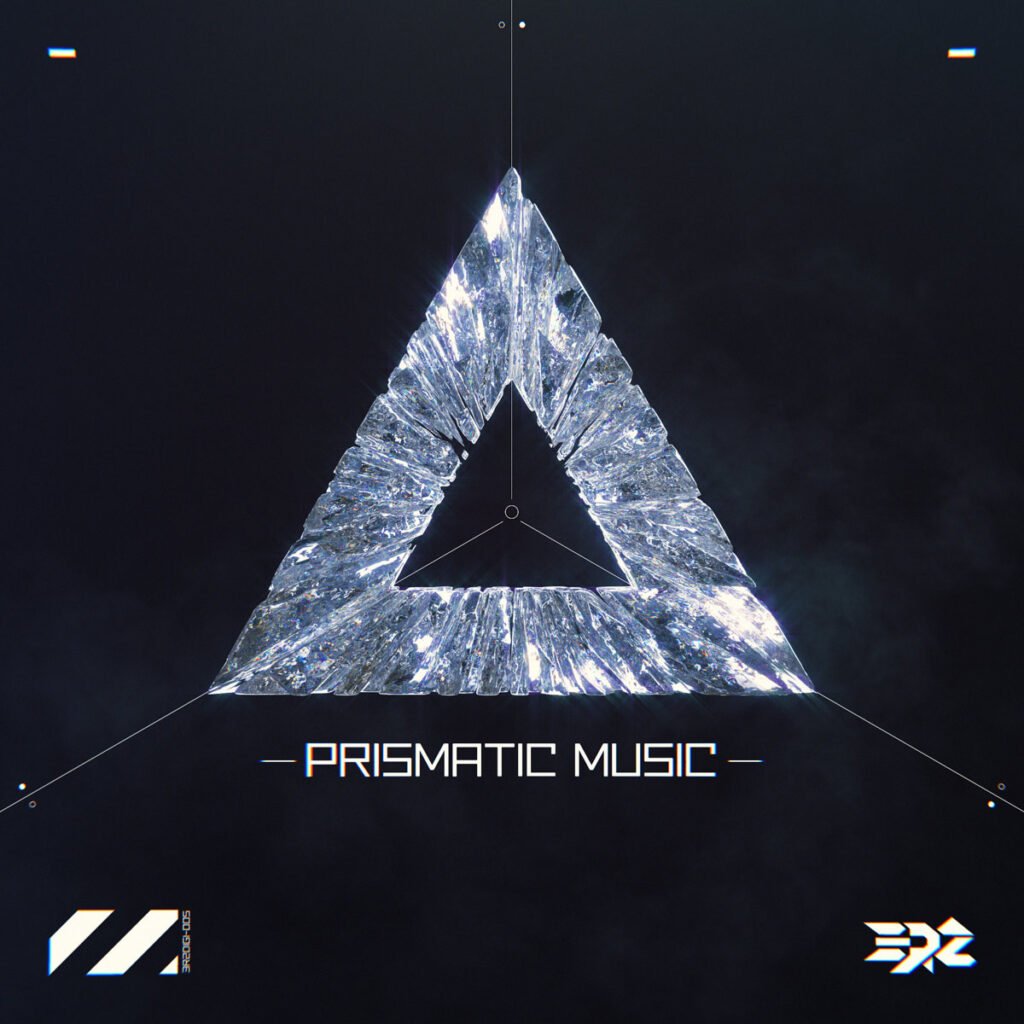
1. Prismatic Music Streaming App
Launched: August 2026 Platform: iPhone and iPad (Mac and Android in the works) Price: Free, with an optional paid tier
Launched: August 2026 Platform: iPhone and iPad (Mac and Android in the works) Price: Free, with an optional paid tier
Prismatic Music is not a streaming app pretending to work offline. It is built from the ground up as a home for the songs you already own. You can pull tracks in from your Apple Music library, the Files app, a folder, AirDrop, or even a straight Wi-Fi transfer from your computer, and it plays MP3, AAC, FLAC, ALAC, WAV, AIFF, Opus, and OGG natively, including lossless formats that Apple’s own Music app will not touch.
The free version covers your whole library, playlists, search, queueing, lyrics, and a ten band equalizer with genre presets. It is supported by the occasional ad, though Prismatic is upfront that those ads never interrupt a song once it starts. There is no account requirement, and everything lives on your device. If you still keep your own music files in 2026, this is currently one of the cleanest ways to listen to them with real visualizers and zero streaming dependency.
One thing worth knowing before you download it: Prismatic cannot play Apple Music streaming downloads, since those are copy protected and no third party app is allowed to touch them. What it plays beautifully is music you actually own, whether that is ripped CDs, old iTunes purchases, or files you have been carrying around since your last three phones.
Ideal Features:
- Native playback of MP3, AAC, FLAC, ALAC, WAV, AIFF, Opus, and OGG, entirely on-device
- Imports your library from Apple Music, the Files app, folders, AirDrop, or a Wi-Fi transfer from your computer
- Real-time, beat-reactive visualizers built for every track
- Ten-band equalizer with genre presets and synced lyrics
- Rating: too new for a reliable average (launched August 2026)
Pros:
- Genuinely offline, with no streaming catalog or account required
- Wide format support, including lossless FLAC and ALAC
- Clean, fast interface built natively for iPhone and iPad
- Free tier covers the entire core listening experience
Cons:
- Only plays music you already own, not a discovery or streaming catalog
- Free version includes occasional ads, even if they never interrupt playback
- Mac and Android versions are announced but not live yet
- Cannot play protected Apple Music streaming downloads
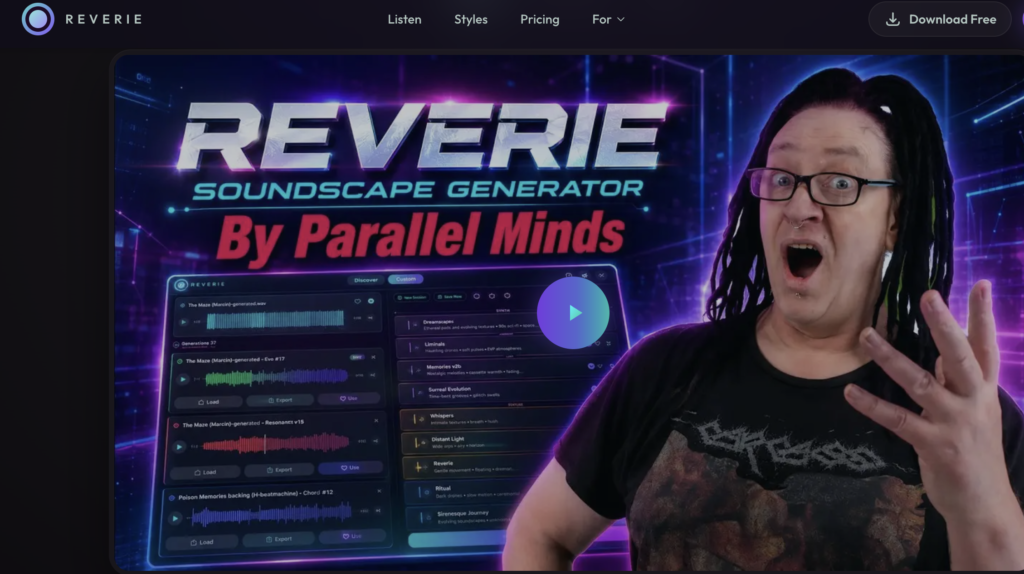
2. Reverie.fm Streaming App

Launched: June 2026 Platform: iPhone and iPad Price: Free
From song to soundscape, in one click
Drop any audio file. Pick a style. Generate endless unique ambient, every result is different.
Reverie.fm is not trying to be another way to stream a song. It is a private, offline first music journal that lets you pin songs to the actual places they happened. Long press anywhere on a map, search for a track, and drop a pin with a mood, a year, the people who were there, and a note about the moment. Over time it turns into a personal atlas of the songs that followed you around.
Everything about the journal itself, the pins, the notes, the map, stays local and offline. There is no account, no sign up, and no cloud sync, which is rare for anything built in 2026. The catch for this particular list is that Reverie is built entirely around the Apple Music catalog, so tapping a pin to actually hear the song again depends on having Apple Music itself, not on Reverie playing audio on its own. Think of it less as an offline player and more as an offline memory keeper that happens to be built around music.
For readers who already default to Spotify and YouTube Music recommendations, this is the one on the list that does something genuinely different.
Ideal Features:
- Pin songs to exact map locations tied to real memories
- Add mood, year, people, and a personal note to each pin
- Fully offline and local-only, with no account or cloud sync
- Built on the full Apple Music catalog for song search
- Rating: too new for a reliable average (launched June 2026)
Pros:
- Completely private, nothing ever leaves your device
- A genuinely original concept, closer to a journal than a player
- No account, no sign-up, no tracking of any kind
- Calm, simple interface built around memory rather than volume
Cons:
- Requires Apple Music to actually hear the songs, so it is not usable for Spotify or YouTube Music listeners
- Does not function as a standalone offline music player
- No offline audio playback of its own
- A niche use case compared to a typical streaming app
3. BlueJazzClub Streaming App
Launched: January 13, 2026 Platform: Apple devices (iPhone, iPad, Mac, and Vision Pro) Price: Free to download, with a subscription for full access
Launched: January 13, 2026 Platform: Apple devices (iPhone, iPad, Mac, and Vision Pro) Price: Free to download, with a subscription for full access
BlueJazzClub markets itself as a vinyl jazz app, and that is a fairly accurate description. It leans on AI generated jazz and lo-fi compositions, wraps them in a warm, analog style player with vinyl crackle, and adds ambient modes like a rainy day setting for background listening. The developer has said the library adds more than 500 new tracks a month.
It is free to download, and the subscription itself is inexpensive at $1.99 a month or $12.99 a year. That makes it more of a low cost extra than a true unlimited free service, so it sits a little differently on this list than the other four. We also could not confirm offline downloads or playback without a connection, so treat BlueJazzClub as a new and interesting 2026 arrival for jazz, lo-fi, and study music fans rather than a confirmed entry in the offline category.
Ideal Features:
- AI-generated jazz and lo-fi compositions
- Vinyl-style playback with surface crackle and ambient modes like Rainy Day
- Library grows by more than 500 new tracks a month
- Built for iPhone, iPad, Mac, and Apple Vision Pro
- Rating: too new for a reliable average (launched January 2026)
Pros:
- A distinctive, vintage vinyl atmosphere, good for relaxing or studying
- Constantly refreshed library
- Free to download with a genuinely low-cost subscription
- Available across the whole Apple device family
Cons:
- Full library access requires a paid subscription
- No confirmed offline playback
- All music is AI-generated rather than licensed recordings
- Narrow genre focus limits it to jazz and lo-fi listeners
4. Lyra Music Streaming App
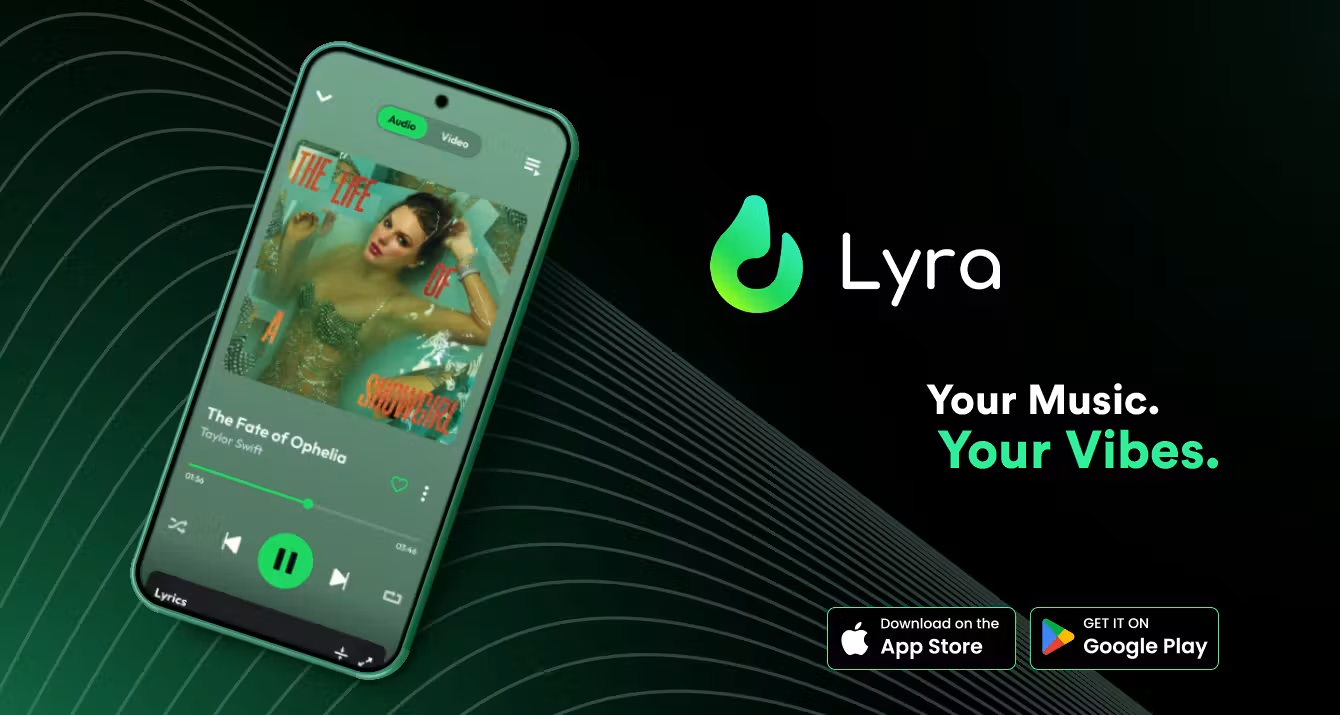
Launched: January 2026 Platform: iPhone and Android Price: Free, with an optional audio quality upgrade
Lyra pitches itself as a way to stream music without a subscription, an account, or ads getting in the way. You can import playlists straight from Spotify or YouTube, browse curated mood based playlists, catch live radio, and its own App Store listing states that tracks can play in the background or offline. There is no account requirement at all, which is unusual for an app with this many features.
A couple of honest notes before you recommend it to a reader who is boarding a flight with no signal. Lyra’s playback appears to run on top of YouTube’s catalog behind the scenes, and some recent user reviews mention asking for more reliable offline playback and stability. So while offline listening is listed as a feature, it is worth testing with your own most played playlist before counting on it in a dead zone.
Ideal Features:
- Unlimited streaming with no account required
- Playlist import directly from Spotify and YouTube
- Live radio stations and podcasts across genres
- Lists background and offline playback among its features
- Rating: ★★★★★ (4.6/5)
Pros:
- No account or subscription needed to start listening
- Playlist import makes switching over from Spotify simple
- Ad-free experience on the free tier
- Cross-platform on both iPhone and Android
Cons:
- Appears to run on a YouTube-based backend, so reliability can vary
- User reviews mention inconsistent offline playback
- Catalog depends on YouTube’s availability rather than a licensed streaming deal
- No official desktop app
5. Stash Streaming App
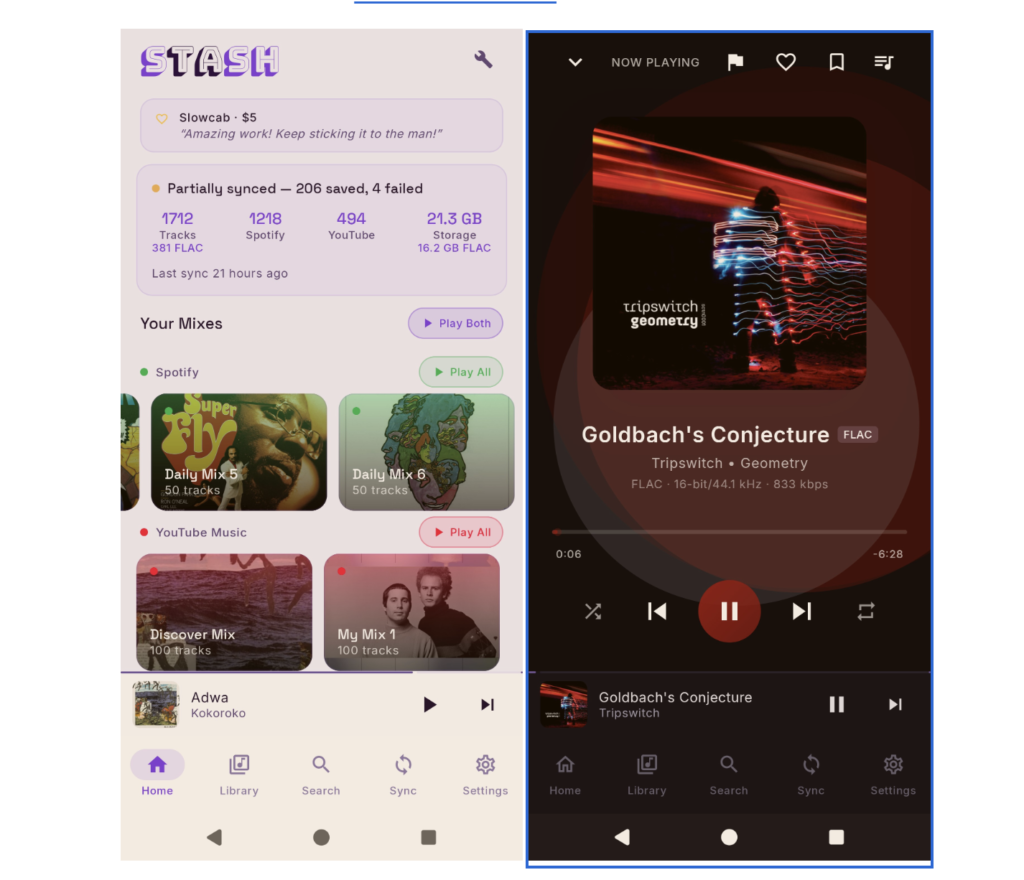
Launched: 2026 (exact date unconfirmed) Platform: Android Price: Free and open source
Stash is the outlier on this list, and it deserves a different kind of introduction than the other four. It is an open source Android app that connects to a Spotify or YouTube Music account you already have and mirrors your liked songs, playlists, and daily mixes into a single local library. Depending on the mode you choose per playlist, it either downloads tracks as offline files, some sources note lossless FLAC or Opus quality, or keeps them as a streaming index so you are not filling up your storage.
Here is the important part for readers: Stash is not a standalone streaming service the way the rest of this list is. It requires an existing Spotify or YouTube Music account, and it connects to those accounts through browser login credentials rather than an official partner integration, something the developers are transparent about on its project page. There is no Stash account, no Stash server, and no ads, but it is a power user tool built on top of other platforms rather than a fresh, self contained free app. It is worth a mention because it is new and it does solve the offline problem well for people who already use Spotify or YouTube Music, but readers should go in understanding what it actually is before downloading it.
Ideal Features:
- Mirrors an existing Spotify or YouTube Music library onto Android
- Offline mode downloads tracks locally, in FLAC or Opus depending on the source
- Streaming index mode for saving on-device storage
- Open source, with no Stash account or server involved
- Rating: not applicable, as an open-source project without a conventional app store listing
Pros:
- No ads, no subscription, and no Stash account required
- A genuinely useful offline mode for people who already use Spotify or YouTube Music
- Fully transparent, open-source codebase
- Lets you choose offline or streaming mode per playlist
Cons:
- Requires an existing Spotify or YouTube Music account, so it is not a standalone service
- Connects using browser login cookies rather than an official API, which may run against those platforms’ terms of service
- Not distributed on Google Play, so it has to be sideloaded from GitHub
- Not the friendliest setup for a casual, non-technical user
6. Spotify Streaming App
Spotify is one of the major music streaming sites around the globe with millions of songs from every genre anywhere. It is known for music without internet or in simple words a provider of ‘free music offline’! The solid features that this music streaming site provides are fantastic for all those music fans who discover new music or want to create playlists for any occasion.
Ideal Features :
- 70 million plus songs available on app to download music
- Personalized playlists such as Discover Weekly and Release Radar
- Podcasts, audiobooks, and curated playlists
- Offline listening for premium subscriptions
- Rating: ★★★★★ (4.8/5)
Pros:
- Library big on music with great recommendations
- Easy-to-use interface.
- Cross-platform access.
- Using a free version but advertisement is involved
Cons:
- Free version is full of advertisements plus limited offline options.
- Limited skips and no access to high-quality audio without premium.
- A few rare glitches in sync across devices.
7. YouTube Music Streaming App
YouTube Music, the best free music app for Android, serves the best of both worlds by streaming both music and video content. You can listen to audio-orientated tracks as well as check out the music videos to some of your favorite songs. Like everything else with Google, the proficient connection to YouTube makes this an ideal candidate for all your new music signal searching and artist discovery.
Ideal Features:
- Access to both music videos and audio tracks
- Curated recommendations tailored to your activity on YouTube
- Listen offline for premium subscribers
- Integration with YouTube
Rating: ★★★★☆ (4.5/5)
Pros:
- Easily found music videos.
- Good to discover through YouTube recommendations.
- Free version with music videos, limited ads.

Cons:
- Ad-supported free version without offline capabilities.
- A smaller library compared to the other sources like Spotify.
- The app may be cumbersome and overwhelming for some users.
DOWNLOAD: How to Download YouTube Music app for FREE – iPhone XR iPhone 8 iPhone 7 iPhone 6 iPhone 5
8. Amazon Music Streaming App
Amazon Music, one of the free music downloading apps, is a fantastic way to listen to millions of songs with superb integration into the whole ecosystem of Amazon. Whether you are an Amazon Prime member, wish to play amazon songs offline or a Music Unlimited subscriber, you will get some great sound quality along with easy access to your favorites in this service.
Ideal Feature:
- More than 70 million songs are available.
- HD available with Music Unlimited.
- Integrated with Alexa for voice control.
- Offline listening available with a premium subscription.
Rating: ★★★★☆ (4.5/5)
Pros:
- Seamless integration with Alexa and Amazon devices.
- Free access for Amazon Prime members.
- Audio high definition for the music lovers.
Cons:
- Comparatively smaller music library than Spotify.
- Interfaces might feel a bit clunky and seem outdated at times.
- Premium features need subscription to Music Unlimited.
DOWNLOAD: How to Download AMAZON Music app for FREE – iPhone XR iPhone 8 iPhone 7 iPhone 6 iPhone 5
9. Trebel Music Streaming App
Trebel is a free music streaming application that provides access to music downloads for offline listening without a premium subscription. Being one of the best free music apps, it is suitable for people who love their music with no data and no ads.
Ideal Features:
- Songs can be downloaded for offline listening.
- Free music with ads.
- Access to millions of tracks from all genres.
- Simple and easy-to-use interface.
Rating: ★★★☆☆ (3.8/5)
Pros:
- Free with offline music (music download app free)
- A very simple interface.
- Big music library for free apps.
Cons:
- The ads are sometimes too much.
- Music discovery is very limited.
- Only available on Android.
DOWNLOAD: How to Download Trebel Music app for FREE – iPhone XR iPhone 8 iPhone 7 iPhone 6 iPhone 5
10. SoundCloud Music Streaming App
SoundCloud, one of the good music apps free, is a wonderland for indie artists and fans of niche music. With millions of tracks, it is the best music free app without wifi to discover new music and delve into genres that are not usually available on mainstream platforms.
Ideal Features:
- 200 million-plus tracks for indie and underground music.
- Customized recommendations based on listening statistics.
- Offline listening using SoundCloud Go.
- Social features enabling music discovery and sharing.
Rating: ★★★★☆ (4.6/5)
Pros:
- Intense variety of indie and underground music.
- Free downloaded music
- Highly customizable playlists and recommendations.
- Able to access vast Track Catalogs on Free Version.
Cons:
- Free version is ad-supported and does not allow offline listening.
- Audio quality of the track depends on the track.
- Some content is withheld from free users and can only be accessed on a premium subscription.
11. Musify Music Streaming App
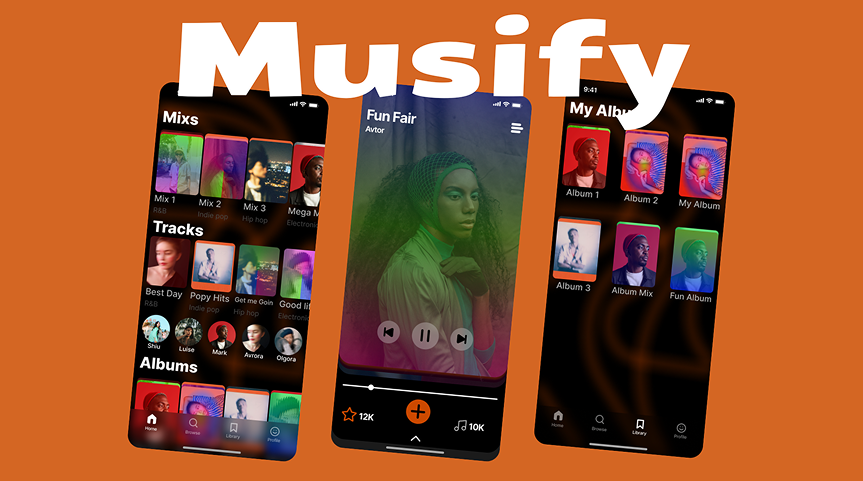
Musify
Musify is a free offline music player designed for users who want simple and convenient access to their favorite songs without relying on an internet connection. The app focuses primarily on offline listening, providing a clean and straightforward music experience with minimal advertisements. Unlike many modern music platforms, Musify does not require a premium subscription to enjoy its core features, making it a practical option for users who prefer a simple and accessible music player without unnecessary complications.
Ideal Features:
- Supports a wide range of audio formats, including popular formats such as MP3 and high-quality formats such as FLAC.
- Provides reliable offline music playback, allowing users to listen to their downloaded or stored music without an internet connection.
- Includes an integrated equalizer that gives users greater control over sound quality and allows them to adjust the audio according to their preferences.
- Features a simple, intuitive interface that is easy to navigate, even for users who prefer a minimalistic music experience.
- Offers a clean listening environment with very few advertisements and no requirement for a premium subscription.
Rating: ★★★★☆ (4.4/5)
Pros:
- Provides an effective offline and largely ad-free music-listening experience.
- Supports multiple audio formats, making it suitable for users with different music libraries and file types.
- Features a simple yet classy user interface that prioritizes ease of use and accessibility.
- Delivers good overall sound quality, with an equalizer included for users who want to fine-tune their listening experience.
- Does not require users to pay for a premium subscription to access its basic offline playback features.
Cons:
- Functions primarily as an offline music player and does not provide music streaming services.
- Some users may experience occasional crashes or compatibility issues when playing certain audio file types.
- Lacks advanced music-discovery features, such as personalized recommendations, curated playlists, or sophisticated discovery tools.
- Its focus on local and offline playback may feel limiting for users who prefer an all-in-one platform combining streaming, discovery, and offline listening.
12. Audiomack Music Streaming App
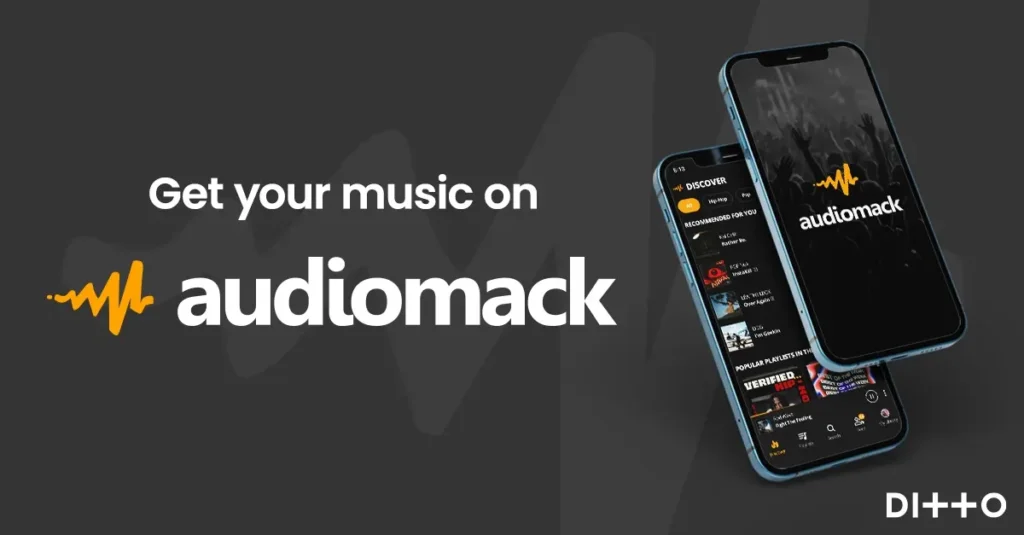
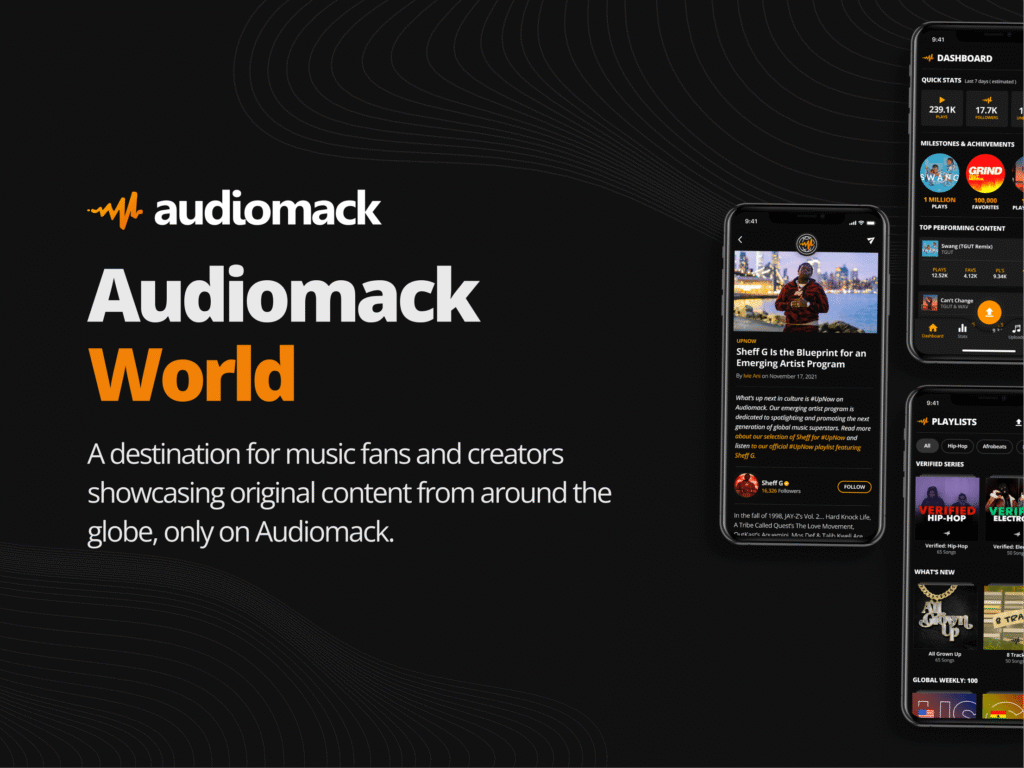
Audiomack is a free music streaming app that has discovery features and provides a user interface for music lovers to listen to or download songs for later offline listening. It has found a special marketplace among hip-hop, rap, and new genre music by offering a considerable number of free tracks.
Ideal Features:
- Free music downloads for offline access.
- Massive catalog, especially for the indie and emerging genres.
- Personalized recommendations and curated playlists.
- Podcasts and mixtapes.
Rating: ★★★★★ (4.7/5)
Pros:
- Free offline downloads of music without a subscription.
- Holds tons of hip hop and emerging music.
- An easy interface with personalized recommendations.
- Ad-free, but has premium features for top-notch functionality.
Cons:
- Selection of limited music in genres other than hip-hop.
- The ads in the free version become more annoying than expected.
- Some tracks can only be streamed after premium subscription.
13. BoomPlay Music Streaming App
BoomPlay, a music streaming platform that is known in Africa, has lots of tracks and content that are exclusive. It is very favorable to those that sing and listen to African music and worldwide hits as it concentrates mainly on regional music and also provides cheap subscriptions.
Ideal Features:
- Access to over 60 million songs and music videos.
- Download music to listen to offline with premium plans.
- Music discovery suitably to regional flavor.
- Audio streaming in high quality (up to 320 kbps).
Rating: ★★★★☆ (4.8/5)
Pros:
- Huge catalog that is mainly for African music.
- Subscription options are very cheap.
- Offline listening has been supported.
- Music videos included in the library.
Cons:
- Somewhat clunky interfaces and not very user-friendly.
- Limited music for non-African genres.
- Ads interrupt listening in the free version.
14. Pulsar Music Streaming App
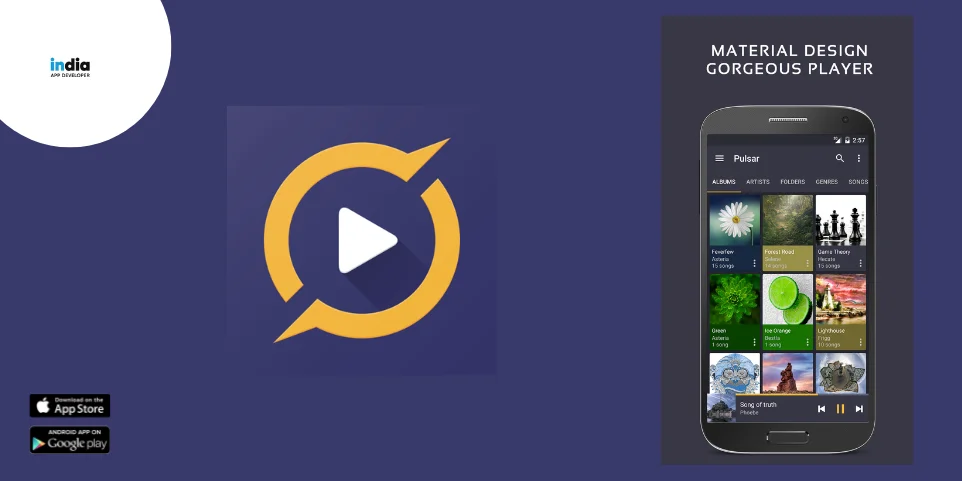
Whether an individual is an audiophile or just needs to carry along a smooth music player and an excellent Afro-sounding music collection to be played at home, the Pulsar Music application works seamlessly. Being the best free music streaming app, the features include an ability for gapless playback and sound options that are also rich and perfect for audiophiles.
Best Features:
- Such as MP3, FLAC, and WAV, in various formats.
- Gapless playback and customizable playlists.
- Built-in equalizer with bass boost.
- Offline music management and easy navigation.
Rating: ★★★★☆ (4.5/5)
Pros:
- Beautifully designed and has easy navigation.
- Great in managing the local music library, offline.
- The audio is high quality, customizable.
- There are no ads in the free version player.
Cons:
- In the online music section, it does not provide streaming service integration.
- It does not have some of the most advanced discovery features that are usually found in streaming apps.
- Offline music and local file management only.
15. Lark Player Music Streaming App
Lark Player is an all-in-one music and video player, letting one play offline music, stream videos, and access a large collection of YouTube music. It delivers customized playback quality. So, if you are looking for good apps for listening to music offline, Lark Player is the one!
Ideal Features:
- Plays music and videos offline.
- Has built-in equalizer and sound enhancement tools.
- Syncs with YouTube so one can have easy access to free music videos.
- Supports many formats including but not limited to MP3 WAV FLAC.
Rating: ★★★★☆ (4.7/5)
Pros:
- It doubles up for music and movies.
- Easily linked with YouTube to stream music videos.
- Sound settings are customizable.
- These basic features are free, with no subscription needed.
Cons:
- Maybe not available in some areas due to the integration of YouTube.
- Like in the case of the free version at times, there are ads.
- The interface sometimes may feel cluttered with music and video optioOvercoming the Limits of Offline Listening on Music Streaming Servicesns.
16. N7Player Music Streaming App
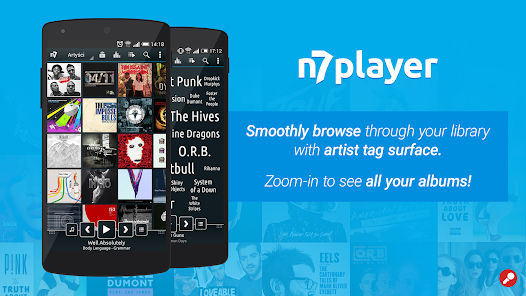
N7Player is one of its kind. It has an attractive, almost mind-bending interface, and is very simple to use with the touch of a finger. Surely, it is just perfect for someone who likes arranging their music as though it were personal and works of art. One would think one is really listening to something wonderful, be it local or stream, and then views it with lovely visual effects.
Ideal Features:
- Customizable 3D interface giving a unique experience with listening to music.
- Sparse support for different file types (mp3, FLAC, etc.).
- Goes by actions performed for easy horizontal movements.
- Equalizer and sound enhancement tools for the serious audiophile.
Rating: ★★★★☆ (4.4/5)
Pros:
- Pretty easy to use and quite attractive as well
- Has an interface using 3D touch controls.
- Broadly supports all kinds of audio file formats.
- Customizable equalizer for personalized output sounds.
- There are no ads in the premium version.
Cons:
- Limited features in its free version and some random ads.
- Some users find it complicated at first.
- No streaming options as it focuses mostly on local music libraries.
17. Bandcamp Music Streaming App

Bandcamp is very popular among independent artists and music lovers who find joy in looking for strange and underground music. It is one of the best platforms for buying quality music and supporting the artists. Discover new sounds while directly supporting the creators with this top rated free music app!
Ideal Features:
- Sales and downloads of music directly from artists.
- Very large independent music catalog.
- Near high-quality audio formats (MP3, FLAC).
- Artists can set their prices including fees for free downloads.
Rating: ★★★★★ (4.7/5)
Pros:
- Best for small discoveries of independent and niche music.
- Good quality audio download (FLAC and MP3).
- Can set prices for purchase, even free, allowing superior artist support.
Cons:
- More purchase-oriented than streaming for music.
- Less user-friendly for mainstream music discovery.
- No offline streaming unless downloading tracks.
18. Pandora Music Streaming App

Pandora is a music streaming service well known for personalized radio stations based on your preferences. The service provides personalized stations through a music discovery algorithm based on genres, artists, or particular songs. No more worries about how I listen to Pandora offline, thanks to like-based stations in Pandora!
Ideal Features:
- Personalized radio stations based on user preference
- Free version available with ads
- Available free music on phone
- Offline listening on Pandora Plus and Pandora Premium
- Curated playlists and stations
Rating: ★★★★☆ (4.3/5)
Pros:
- Superb music discovery with personalized stations on Pandora offline.
- Extensive playlists and stations.
- User-friendly interface for quick access to near favorites.
- Ad-free with premium subscriptions.
Cons:
- Free version has ads and is limited in skips.
- Free version has limited features, particularly with offline listening.
- Only available in a few select countries.
19. Poweramp Music Streaming App
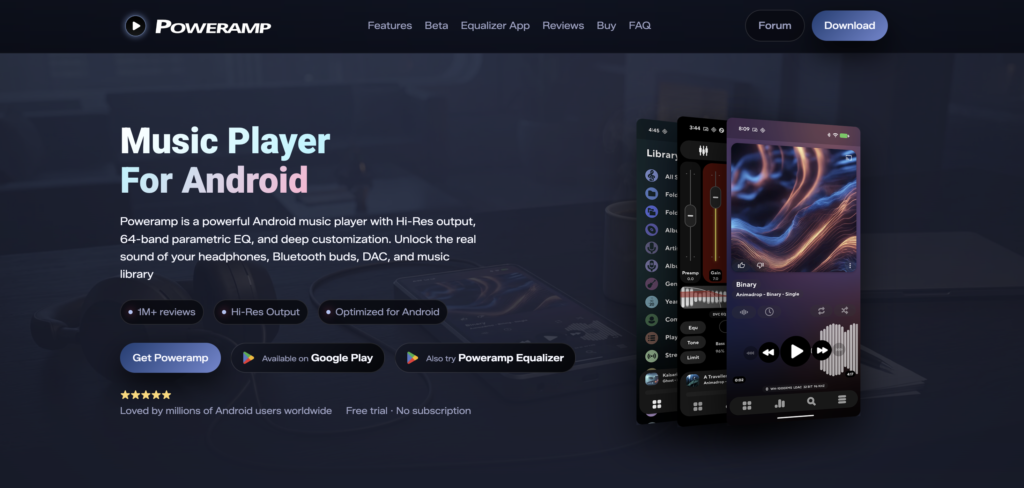
Poweramp, a free song app, is an advanced music player for Android and is admired for high-resolution audio as well as for the complete set of features it has. For warm-hearted audiophiles, it is a treasure chest of tools for personalizing an audio experience. From highly refined level adjustment with everything imaginable in equalization to very hi-resolution audio support, it is one of the top notch non internet music apps!
Ideal Features:
- Supports almost every file format: MP3, FLAC, WAV, etc.
- Superb equalizer offers boost sound enhancements
- Perfect for customization, gapless playback, and themes.
- Top audio quality ready for real audiophiles.
Rating: ★★★★★ (4.8/5)
Pros:
- Great sound quality; high-resolution audio supported.
- Available for users who wish to list to music free
- Customizable equalizer and sound options.
- A variety of formats are well supported
- Paid version has no ads and efficient support.
Cons:
- Requires payment for full-featured software.
- Too many settings could confuse a newbie.
- No streaming features, only local files.
20. VLC Media Player Music Streaming App
VLC Media Player, a free music application, is an open-source multimedia player that plays almost any audio or video file format. It has some very versatile features to offer. Certainly, this app is simple yet sophisticated enough for any user who wants a no-strings media player with support for everything. With this, you can listen to free music offline!
Ideal features:
- Operating nearly every audio and video file formats
- Free and open-source with no ads
- High definition audio playback
- Can adjust video playback speed and support subtitles
Rating: ★★★★☆ (4.6/5)
Pros:
- Able to play any file format without requiring additional plugins.
- Free and open-source.
- No advertisements or hidden costs.
- User-friendly interface with customizable settings.
Cons:
- Plays only; lacks music discovery features.
- Doesn’t have advanced music management tools.
- User interface is basic and can feel outdated for some.
21. Qobuz Music Streaming App
Qobuz
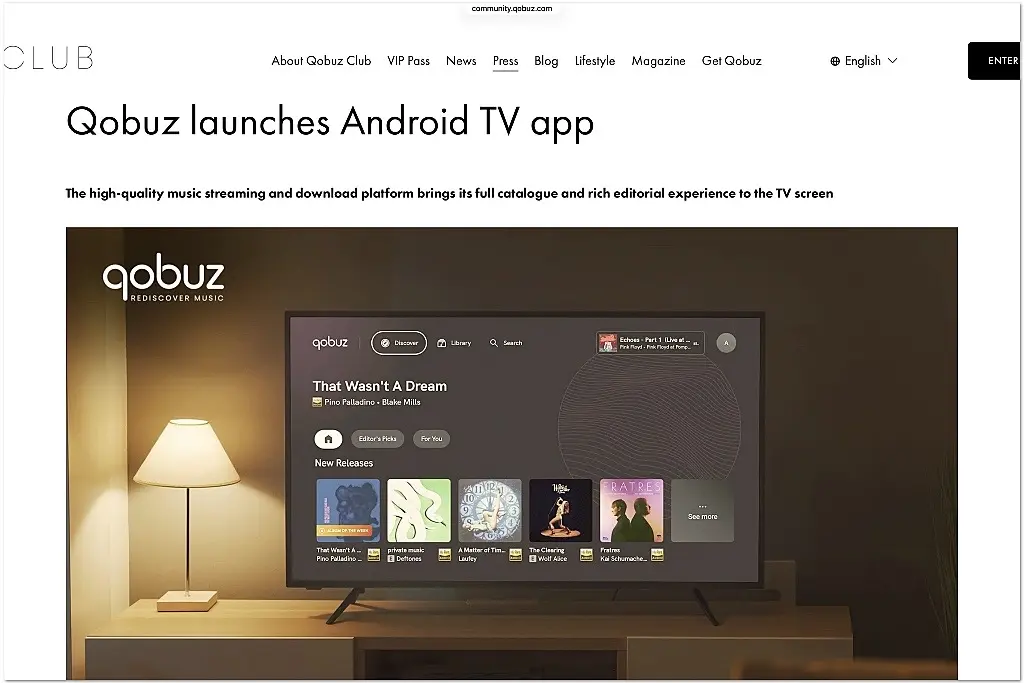
Qobuz is a premium music streaming and downloading service designed primarily for listeners who value high-quality audio and detailed music content. The platform provides access to an extensive catalog of music while placing a strong emphasis on lossless and high-resolution audio. Unlike many mainstream streaming services, Qobuz is particularly focused on audiophile-quality listening, making it a suitable choice for users who want to experience their music with greater detail and clarity. In addition to streaming, Qobuz allows users to purchase and download high-quality music for permanent ownership, giving it an advantage for listeners who want both streaming and downloadable music options.
Ideal Features:
Supports high-quality audio streaming, including lossless CD-quality audio and high-resolution formats such as FLAC.
Provides access to a large catalog of music covering a wide range of genres, artists, albums, and recordings.
Offers music downloads in high-resolution formats, allowing users to purchase and keep digital copies of their favorite albums and songs.
Includes detailed album information, editorial content, reviews, and music-related articles that can help users discover and understand new music.
Provides offline listening for subscribers, allowing users to download music and listen without an active internet connection.
Offers a clean and professional interface designed to appeal to users who prioritize music quality and an organized listening experience.
Rating: ★★★★☆ (4.7/5)
Pros:
Delivers excellent sound quality, making it particularly attractive to audiophiles and users with high-quality audio equipment.
Supports lossless and high-resolution audio formats for a more detailed and immersive listening experience.
Provides both music streaming and the option to purchase high-resolution downloads.
Offers extensive editorial content and detailed information about albums and artists.
Provides offline listening for users who want to enjoy their music without an internet connection.
Cons:
Requires a paid subscription for access to its main streaming features.
Its high-resolution audio benefits may not be noticeable to users listening through basic headphones or standard speakers.
The service may be less appealing to users who mainly want social features, viral music discovery, or highly personalized playlists.
Music availability can vary depending on the user’s country or region.
Some advanced audio-quality features may require compatible devices and high-quality headphones or speakers to fully appreciate.
20 Standout Features Of Offline Music Apps for Android/iOS in 2026
- Battery-Saving Performance
Streaming eats through battery life fast, but a solid offline music app for android or iOS keeps your phone running longer. Since tracks are already downloaded, there’s no constant data pinging or buffering drain, so you get more hours of music on a single charge, even on long flights or road trips.
- Seamless Background Playback
The best free music apps let your downloaded tracks keep playing while you text, scroll, or switch apps. A good offline music app for android or iPhone won’t pause your playlist just because you tapped away from the screen, so the music stays with you no matter what else you’re doing on your phone.
- Cross-Device Library Sync
Even the best mp3 player android users trust will let you pick up where you left off on a tablet or a second phone. With cloud-backed syncing, your downloaded playlists, favorites, and listening history follow you across devices, so switching gadgets never means starting your music collection from scratch.
- Built-In Lyrics And Sing-Along Display
Music lovers want more than sound, they want to feel every word. Many free music apps without wifi now come with synced lyrics that scroll along in real time, turning a quiet commute or a solo drive into a full sing-along session, no internet connection required.
- Smart Storage And Compression Controls
Downloadable music for free can pile up fast, so a reliable offline music app gives users control over file size and audio quality. Whether you want to save space with compressed files or keep studio-grade quality intact, smart storage settings let you manage your library without ever running out of room.
- Offline Podcast And Audiobook Support
The best offline music app for android or iOS isn’t just for songs anymore. Many now let users download podcasts and audiobooks alongside their playlists, so a single app for android music player covers every kind of listening, whether it’s a favorite album or the latest episode of a true crime series.
- Personalized Recommendations Without Internet
Even without a live connection, a smart offline music app can suggest tracks based on past listening habits stored locally. This means free music apps without wifi still feel personal, offering fresh picks from your own downloaded library instead of leaving you stuck replaying the same five songs.
- Sleep Timer And Auto-Pause Features
Music lovers who fall asleep to their favorite playlist need an offline music app for iPhone or android that won’t drain the battery all night. A built-in sleep timer automatically stops playback after a set time, making the best free music apps just as useful at bedtime as they are on a morning jog.
- Gapless Playback For Albums
For concept albums and live recordings, silence between tracks can ruin the experience. The best mp3 player android users recommend supports gapless playback, letting downloadable music for free flow from one track to the next exactly as the artist intended, with zero awkward pauses.
- Widget And Lock Screen Controls
A well-designed offline music app puts playback controls right on the lock screen or home screen widget, so users never have to unlock their phone just to skip a song. This small detail makes the best app for android music player feel fast and effortless during everyday use.
- Custom Playlist Folders And Tags
Beyond basic sorting, top free music apps let users create folders and custom tags for deeper organization. Whether it’s workout mixes or late-night chill sessions, this level of control turns a simple offline music app into a fully personalized music library.
- Voice Command Integration
Hands-free convenience matters, especially while driving or exercising. Many offline music apps for android and iPhone now support voice commands, letting users play, pause, or skip downloaded tracks without ever touching the screen.
- Data Usage Transparency
Since the whole point of free music apps without wifi is saving data, the best apps show clear download sizes and storage usage upfront. This transparency helps users manage downloadable music for free without unexpected storage surprises later.
- Multi-Format File Support
A flexible offline music app supports more than one audio format, from MP3 to FLAC to WAV. This versatility means users can import their existing collection into the best mp3 player android or iOS has to offer without worrying about compatibility issues.
- Privacy-Focused Local Storage
With growing concerns about data tracking, many offline music apps now emphasize local-only storage with no unnecessary account requirements. This appeals to music lovers who want the best free music apps experience without handing over personal listening data to third parties.
- True Offline Mode
Thanks to apps with free music without wifi, it is easier to download full albums, playlists, or single tracks with absolute ease-and being able to listen at any time or any place regardless of Wi-Fi or data.
- High-Quality Audio Playback
From sparkling highs on MP3s to immersive lows on studio-grade FLAC, high-end offline apps capture every heartbeat in air with soul-stirring audio. The downloadable music for free ensures high quality, with a reliable offline music app.
- Smart Music Management
With the best app for android music player, you can easily sort your music collection by artist, album, genre, or mood. A user-friendly interface of the best free music apps is designed to make life easy for music management.
- Customizable Equalizer Settings
Free music apps without wifi offer sound customization with built-in equalizers, presets, and audio enhancements based on individual preferences.
- Ad-Free Listening Experience
No interruptions, no distractions with the best mp3 player android or an iPhone offline music app! Either of the two, a decent music offline app helps keep the playlist flowing with zero obtrusions from ads and pop-ups.
Best Hot Music Streaming App Statistics to Know in 2026/2027
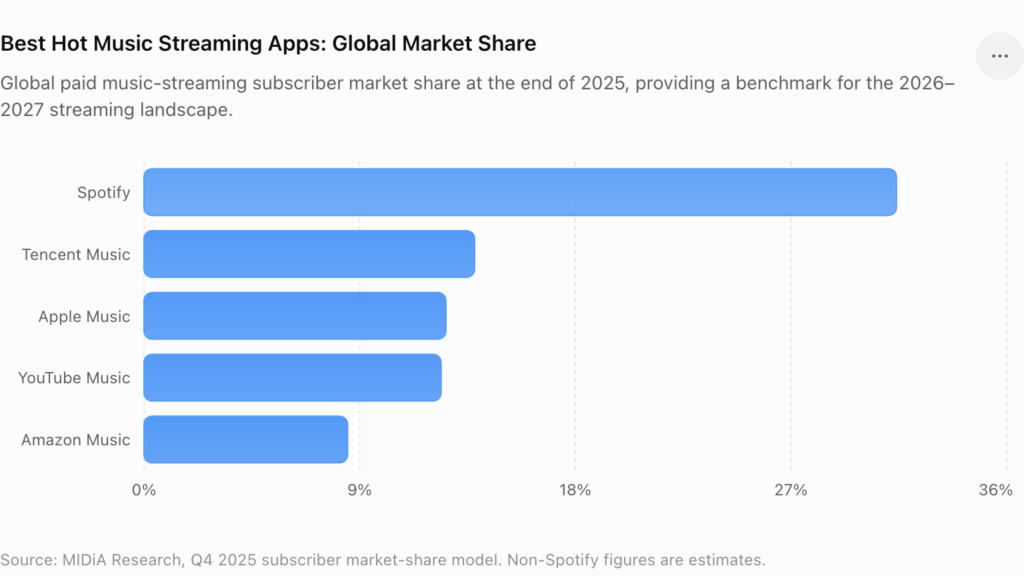
Global paid music-streaming subscriber market share at the end of 2025, providing a benchmark for the 2026–2027 streaming landscape.
The music industry has changed more in the last five years than in the previous twenty, and free music download apps and streaming platforms are sitting right at the center of that shift. People used to buy albums. Now they tap a screen and the whole world of sound opens up, no wallet required. If you want to understand where the best music apps free are heading, the numbers tell a clearer story than any trend piece could. Here is what the data actually shows about this exploding digital soundscape.
- Global recorded music revenue hit $31.7 billion in 2025, up 6.4 percent from the year before. That marks eleven straight years of growth for an industry that spent almost two decades in decline before streaming turned things around.
- Streaming alone brought in more than $22 billion in 2025, making up close to 70 percent of all recorded music income worldwide. Paid subscriptions did most of the heavy lifting, growing almost 9 percent year over year and now accounting for over half of total industry revenue.
- Spotify still leads the pack with around 615 million monthly active users and roughly 239 million of those paying for premium. But YouTube and TikTok are not far behind in terms of raw reach, with TikTok alone pulling in close to 1.6 billion monthly users and heavily influencing how younger listeners discover new songs.
- Worldwide, paid streaming subscriptions crossed 837 million users in 2025, a number that has basically grown nonstop since Spotify first launched in Europe. Ten years ago that figure sat under 100 million. The appetite for ad-free, on-demand listening is not slowing down.
- Roughly three out of every four Gen Z listeners say they find new music through algorithm-driven recommendations rather than radio or word of mouth. That shift is reshaping how free music apps without wifi design their offline queues and downloaded playlists, since discovery increasingly happens online before it moves offline.
Key statistics to highlight
- Spotify: 31.4% global paid-subscriber share; it also crossed 300 million premium subscribers in Q2 2026.
- Apple Music: 12.6% estimated global share.
- YouTube Music: 12.4% estimated share and identified by MIDiA as the platform on track to overtake Apple Music in 2026.
- Global streaming: 921.6 million paid subscribers at the end of 2025, putting the market close to the 1-billion-subscriber milestone.
- Streaming revenue: More than $22 billion globally in 2025 and around 70% of recorded-music revenue.
So what does this mean for the everyday user scrolling through app stores for downloadable music for free? It means streaming and offline music apps are no longer a passing trend. They have become the backbone of how people experience music, from casual listeners to die-hard collectors. Between rising subscriber numbers, growing revenue, and a generation raised on algorithm-fed discovery, the demand for reliable, ad-free, and offline-capable apps is only going to climb from here.
For businesses looking to build in this space, whether that’s a no-ads music app or a full-featured offline music player, working with an experienced Android or iOS development team is the smartest way to turn these numbers into a product people will actually use.
A quick note: some of these figures vary slightly depending on the source (IFPI versus market research firms often report different totals), so if you’re publishing this for a client or a site with strict fact-checking standards, it’s worth linking directly to the IFPI Global Music Report 2026 as your primary citation.
In Conclusion:
The fact remains that the internet has given us more ways to enjoy music than any other time in history. But these 20 free playable music apps prove that you don’t need data or Wi-Fi to keep the vibe going. Whether you’re out for a walk, hitting the gym, or just tired of your data plan disappearing, these apps have your back. They’re free, they’re offline, and they’re built for anyone who just wants to press play and go.
From full streaming powerhouses like Audiomack and Treble to no-nonsense offline players like VLC and Poweramp, there’s something here for every kind of music lover! These online music apps free options cover it all, whether you’re a playlist curator or a hit-play-and-forget kind of listener. And with music to download for free now a standard feature across the board, there’s really no reason left to pay for storage you don’t need or deal with apps that won’t work without a signal.
Choosing the right no internet music app comes down to a few simple things. What type of music excites you the most? What features do you actually care about? And how much space do you have left on your phone to work with? Answer those, and the right app becomes obvious.
Want the best sound quality out there? Go for an app with FLAC audio support, hands down. Want zero ads getting in your way? Local players like Musicolet and Pulsar are exactly what you need! That’s the whole point of offline music apps. They let you play your own music, your own way, anywhere, anytime. So have fun with it, enjoy the playback, and let the music do the rest!
FAQs
What file formats does an offline music app accept?
Most offline music apps in the free category support the usual audio file formats you’d expect, things like MP3, AAC, and WAV. These cover almost every song you’ll come across and play smoothly on basically any device. Some of the more advanced apps for offline music download go a step further and support FLAC, which is lossless, high resolution audio that audiophiles genuinely obsess over. Just a heads up though, FLAC files sound incredible, but they take up a serious chunk of storage space, so keep that in mind if your phone is already running low on room.
Where can I listen to offline music?
There are really two main routes when it comes to downloading free music and listening without a connection.
- Music player apps that simply play downloaded files already sitting on your device, no internet needed at all.
- Apps that come with a built in offline mode, letting you save music while you’re connected so you can listen to it later, even with zero signal.
Both approaches get the job done, it just depends on whether you prefer managing your own file library or letting an app handle the downloading for you.
How do offline music apps work?
Free music apps with no WiFi work by letting users download songs or podcasts straight onto their phone or tablet. Once that happens, the files get cached inside the app itself, which means they can be played back anytime, Wi-Fi or data or not. A good number of these free music apps without wifi also lean on AI and smart algorithms behind the scenes, studying your listening habits so they can recommend tracks that actually fit your taste instead of just throwing random songs your way.
Is it legal to listen to free music offline?
Yes, completely, as long as you’re using legitimate free music streaming apps or platforms to do it. Spotify with a premium plan, Trebel, and SoundCloud for select tracks all allow proper, legal downloads for offline playback. What you want to avoid are those shady third party sites pushing illegal downloads, since those come with real risks. Stick with top rated free music apps for Android or iPhone and you’ll never have to worry about it.
How do free offline music apps make money?
- Free version: kept running through ads, whether that’s audio ads between songs, banner ads on screen, or short video ads.
- Premium version: strips out the ads entirely and usually unlocks extras like offline listening, better audio quality, and unlimited skips.
It’s a pretty standard model across the industry at this point, and it’s part of why so many great apps can stay free for casual users.
Can I stream music without Wi-Fi or data?
Absolutely, and this is really the whole magic behind free music apps built for use without wifi. Once you’ve downloaded content through the app’s offline mode, everything gets saved directly onto your device. That means you can download music for free and take it anywhere, the subway, a flight with no in-air Wi-Fi, a remote cabin, wherever. It’s perfect for travel, and it’s just as great for anyone trying to be careful with their monthly data.
Are there some totally free ad-less offline music apps?
For sure, and there are more solid options than people realize. A few of the best ad-free music download apps or free music apps without ads include:
- Musicolet, which has a clean, simple interface, zero ads, and plays your local files without any hassle.
- AIMP, known for being fast, lightweight, and packed with customization options for people who like to tweak their setup.
- VLC Media Player, which handles just about every file format and media type you throw at it.
All three of these music apps without ads focus purely on ad-free listening, and every single one of them costs nothing to use.
How can I upload my own songs on an offline music app?
Uploading your own songs onto non wifi music apps is honestly simpler than most people expect. Here’s how it usually works:
- Connect your phone to your computer using a USB cable.
- Transfer your music files directly into the Music folder on your device.
- Open your preferred offline music player app, and it should automatically scan your device and display the new tracks without any extra steps.
Some apps make this even easier by allowing uploads through cloud storage, Wi-Fi transfer, or an SD card, so you’re not stuck with just one method.
Do offline music apps work with smartwatches or wireless earbuds?
Yes, most modern offline music apps are built to pair smoothly with Bluetooth devices like smartwatches, wireless earbuds, and even car audio systems. Once your downloaded music is on your phone, connecting to these devices works exactly the same as it would with any streaming app, so you’re not missing out on convenience just because you’re playing music offline.
Will offline music apps drain my phone’s battery faster than streaming apps?
Actually, it’s usually the opposite. Since offline music apps play files already stored on your device, your phone isn’t constantly using data or Wi-Fi to fetch music in real time, which is one of the bigger battery drains with regular streaming. That means offline listening tends to be easier on your battery, especially during long trips or workouts where charging isn’t an option.
How much storage do I need for offline music apps?
It really depends on how much music you want to keep on hand and what audio quality you’re going for. A single MP3 song usually takes up somewhere between 3 and 5 megabytes, so a few hundred songs won’t put much of a dent in your phone’s storage. FLAC files are a different story though, since those can run five to ten times larger per track. If you’re someone who wants a huge offline library plus high resolution audio, it’s worth checking how much free space your phone actually has before you start downloading everything in sight.
Can I use offline music apps while traveling internationally?
Yes, and this is actually one of the biggest reasons people rely on them. Once you’ve downloaded your playlists before a trip, none of that music depends on local networks, roaming charges, or spotty airport Wi-Fi. You just open the app and everything plays exactly like it would at home. It’s a great habit to get into before flights, long train rides, or trips to areas where data coverage isn’t reliable.
Do offline music apps work if I switch phones?
In most cases, yes, though it depends on the app. Some offline music apps back up your playlists and library to the cloud, so logging into your account on a new phone brings everything right back. Others store files locally only, which means you’d need to manually transfer your music over using a cable, cloud storage, or an SD card. It’s worth checking an app’s sync settings ahead of time if switching devices is something you do often.
Can I download music videos for offline viewing too, or just audio?
It depends on the app. Some offline music apps focus purely on audio, while others, especially ones tied to bigger platforms, also let you download music videos for offline playback. If watching videos offline matters to you, look for apps that clearly advertise video download support, since not every free music app offers it.
Are offline music apps safe to use, or do they come with security risks?
Reputable offline music apps downloaded through the Google Play Store or Apple App Store are generally safe, since both platforms review apps before listing them. The real risk comes from sketchy third party websites offering free downloads outside official app stores, which can carry malware or shady permissions. Sticking to well known, highly rated apps is the easiest way to avoid any security headaches.
Do offline music apps support podcasts as well as music?
A growing number of them do. Many offline music apps now let users download podcast episodes right alongside their music library, so you get one app covering both instead of juggling separate ones. If podcasts are a big part of your listening routine, it’s worth checking whether your chosen app includes that feature before committing to it.
Can I create and edit playlists offline?
Yes, most offline music apps let you build, rename, and edit playlists without needing an internet connection at all, since your downloaded files are already sitting on your device. The only time you’d need Wi-Fi or data is if you’re pulling in new songs to add to those playlists. Once everything is downloaded, full playlist control stays completely in your hands, no connection required.
Be the first to comment